1.1 Introduction
In today’s rapidly evolving digital landscape, the challenge of maintaining meaningful connections with friends while effectively managing group activities has become increasingly daunting. The contemporary digital era has witnessed a rapid evolution in how individuals interact and engage with one another, particularly within their social circles. As technology continues to advance, the complexities of managing group activities and nurturing meaningful connections among friends have grown more pronounced. The exponential growth of technology has underscored the critical need for a comprehensive mobile application capable of simplifying the intricate processes associated with organizing events, sharing memories, managing group finances, and expressing emotions. In response to these evolving dynamics, AmityLink emerges as a versatile mobile application meticulously designed to streamline communication and collaboration within friend groups.
Team behind the project
- J.D Victoria
- M.M.I.U Bandara
- S Balasooriya
- J.S Thirimanna
2.1 Features & Functionality
Authentication Functionality
- Users should be able to log in using their email and password.
- Users are given the option to log in using their Google account via Firebase Authentication.
- The registration process allows users to create a new account with their name, email, and password.
Group Management Functionality
- Users are given a list of groups they are currently joined with on the “My Amities” page.
- The Join or Create Group page enables users to enter a group ID to join a group or create a new group.
- Users can create a new group with a title, description, and upload a profile picture.
- Group settings allow users to update the group profile picture, edit the group name and description, and leave the group.
Bulletin board Functionality
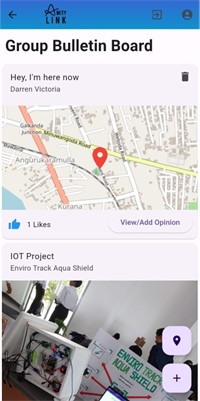
- Ability to share posts on current topics and opinions.
- Share maps to give others current whereabout and pull off a topic starter.
- Put back opinions and feedback to post by making use of the like and unlike functionality into that addition opinion pins.
Memories Library
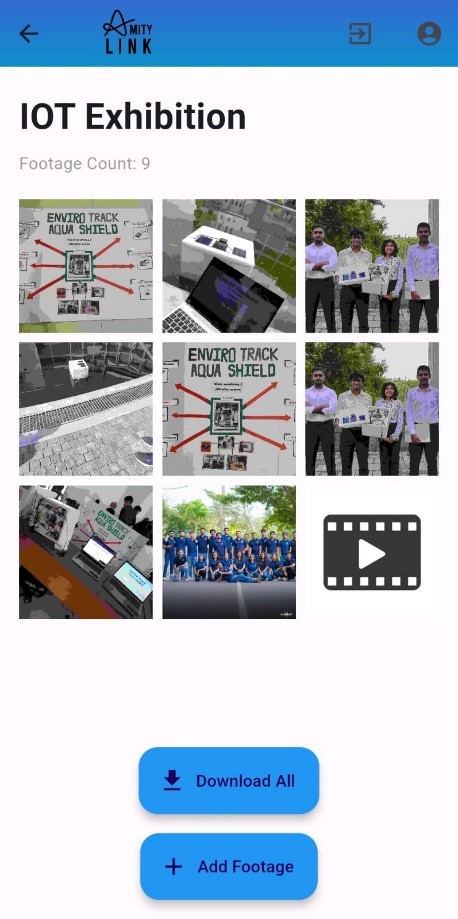
- Enabling users to upload, organize, and share photos, videos, and memories within their friend groups.
- Implementing the feature of reminiscing on shared memories.
- Ensure data security and privacy of shared memories.
- Ability to download these memories individually or in bulk to access at once.
Event Management
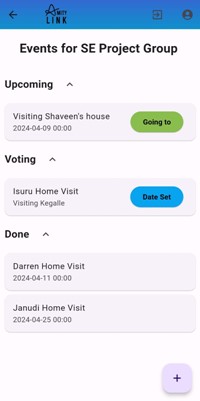
- Allow management of events at the variety of stages Upcoming, Voting and Done.
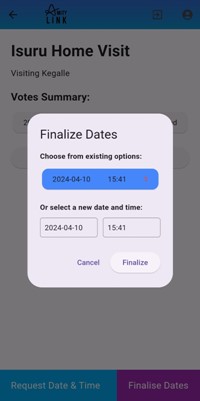
- When in Voting user can vote and finalise on date in which they prefer for the event to take place and the admin can finalise on a date and time later.
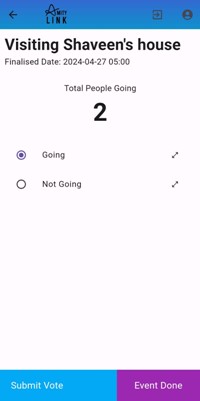
- When in upcoming people can vote on a poll so the host or the organizer can see who will be taking or not to understand the participation of members better.
- Events that are completed can be moved to the Done section to keep track of all the events the group had or be deleted.
Event Calendar
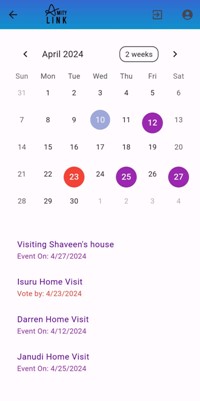
- Allowing users to view all the events orderly as a list and markers on a clean calendar for better clarity and understanding.
Fund Collection
- Facilitating fund collection and management for group activities, events, and shared expenses.
- Implementing transparent tracking for fund contributions and usage.
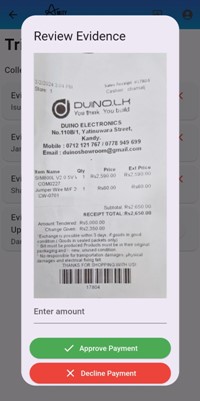
- Allows admins to seamlessly verify payments and validate them.
Feeling Status Updates
- Enabling users to express their emotions and share their current mood or sentiments with friends.
- Provide customizable status update options with emotions.
3. Architecture & Development Methodology
When discussing the architecture used to make this application the “Flutter Feature First” Architecture was utilized. The reasoning behind this decision was that the features of the application become the main center point when developing the application and it made things easier when it came to properly implementing the objectives of the application.
And in terms of the methodology we used the Waterfall methodology. This involved a sequential progression through key stages: gathering user details, deciding on features, and their subsequent implementation. Initially, we collected user insights to understand their needs, which informed the selection of features. Following this, we proceeded with the step-by-step implementation of each feature. This approach ensured a structured and methodical development process, leading to the creation of a tailored social networking platform aligned with user expectations.
4.2 Technologies and Tools Used
- - Flutter application: AmityLink was built using the Flutter framework, allowing for the creation of cross-platform mobile applications with a single codebase.
- - Stateful widgets: Most of the widgets utilized in the application were stateful widgets, enabling dynamic updates and interactions within the user interface.
- - API Integration: The application integrated various APIs to enhance functionality, including Open Maps API for mapping features and FIJK player for multimedia playback.
- - Authentication Dependencies: Authentication was implemented using Google Sign in and Firebase Auth dependencies, ensuring secure access control for users.
- - Internet Connectivity Management: Handling online and offline status was achieved through the utilization of Internet Connection Checker, facilitating seamless user experience across different network conditions.
- - Map Handling: Flutter map, Latlong2, and Geo Locator were utilized for efficient map handling and management within the application.
- - Permission Management: Image Gallery Saver, Path Provider, and Image Picker were employed to manage permissions for tasks such as uploading images from the gallery and saving them to the gallery.
- - Version Control and Collaboration: GitHub was utilized for version control and collaboration, enabling efficient tracking, collaboration, and management of code changes throughout the development lifecycle.
4.3 Future Implementation
- - Enhanced Fund Collection: Implement automatic fund tracking functionality to streamline the fund collection process further. Integrate a comprehensive financial tracker to provide users with detailed insights into their group expenses and contributions.
- - Notification System: Introduce a notification system to alert users of updates on the bulletin board and upcoming events. This feature will ensure timely communication and engagement within groups.
- - Integration with Google Calendar: Seamlessly integrate the application’s calendar feature with Google Calendar to synchronize events and provide users with updates and notifications directly through Google Calendar.
- - Integration with Private Storage Cloud Services: Allow users to link their private storage cloud services to the application, enabling them to store their images securely. This integration will offer users flexibility and convenience in managing their multimedia content.
Project Snapshots
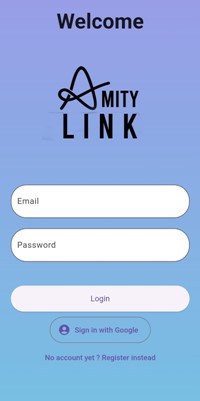
Login Page
- Login page that allows users to enter their email and password credentials, with the option to sign in using their Google account through Firebase Authentication
My Amities Page
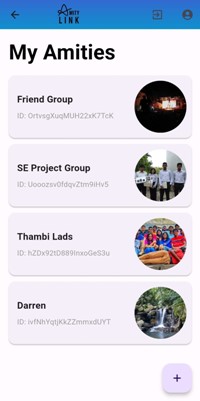
- The My Amities displays the user’s current group memberships, with an option to join additional groups by entering a provided group code.
User Profile
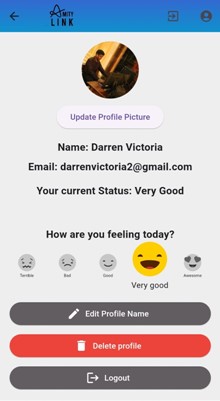
- The user profile screens in the Amity Link app allow the user to update their profile picture, view and update their name, email, and current mood status using selectable icons, the screens also provide buttons to edit the profile name, delete the account, and log out of the app, enabling users to manage their account details and preferences.
Group Settings
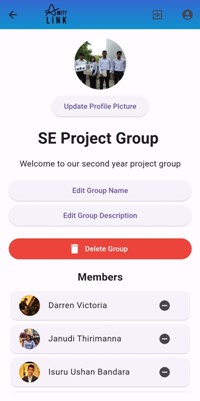
- The Group Settings page enables managing the group profile, including updating the picture, editing the name and description, and viewing members.
Group Dashboard
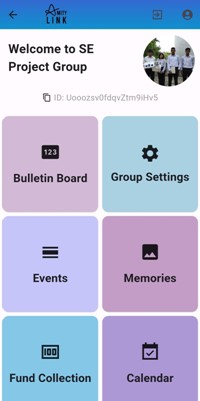
- Amity Link app’s group dashboard allows users to access key functionalities like the bulletin board, events, and group settings.
Fund Collection Page
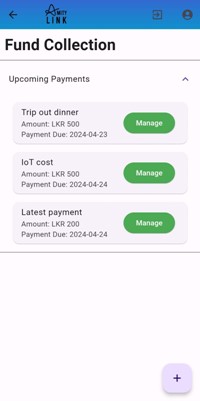
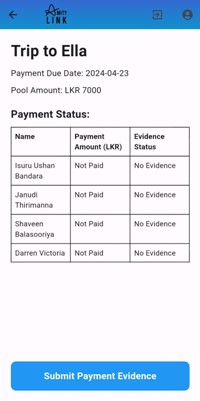
- This part of the application helps manage group finances. See existing funds with names, amounts, and due dates. Tap a fund to view details and likely manage individual payments. Need to collect money for something? Hit the “Add New Fund Pool” button to create a new collection with a name, amount, and due date. A user can upload proof of payment.
Review Payment Evidence
Submit Payment Evidence
Memories Bank
- The Memory Footage page helps organize media related to events. You can add images and videos, and view them in a dedicated Memory Footage section. It offers full screen viewing and individual download options, ensuring a simple and efficient way to manage event media.
Bulletin Board
- This app section acts like a digital bulletin board for Amities. See posts from others with titles, content, pictures (optional), and timestamps . Interact by liking posts . A user can add their opinions to a Bulletin. Bulletins come in two forms text and location based.
Calendar
- Calendar lets you see events and navigate the months with ease
Event Managment
- The Amity Link app features a robust event management system, allowing users to view upcoming, voting, and completed events through collapsible sections. Each event is displayed as a card with the title, description, and scheduled date. Users can easily add new events using the provided button. This structured interface enables efficient organization and tracking of community activities within the application
Finalize Dates
Date Voting