Green Supermarket Online Shopping Application
This project was developed as part of the Software Engineering 2 module in the second year, first semester. The application is designed to serve the imaginary company, Green Supermarket, and provide users with a seamless online shopping experience.
Technologies Used
- -Java
- -JSP (JavaServer Pages)
- -Servlets
- -Relational Databases
- -Azure Web Services
Architecture
We followed the Model-View-Controller (MVC) architecture to ensure a well-organized and modular design. This separation of concerns allows for easier maintenance and scalability.
Key Features
Our application incorporates several key features to enhance user experience and security:
- - Password Hashing: We prioritize user security by implementing robust password hashing mechanisms.
- - Backend Server-Side Validations: To ensure data integrity and prevent unauthorized access, we implemented server-side validations.
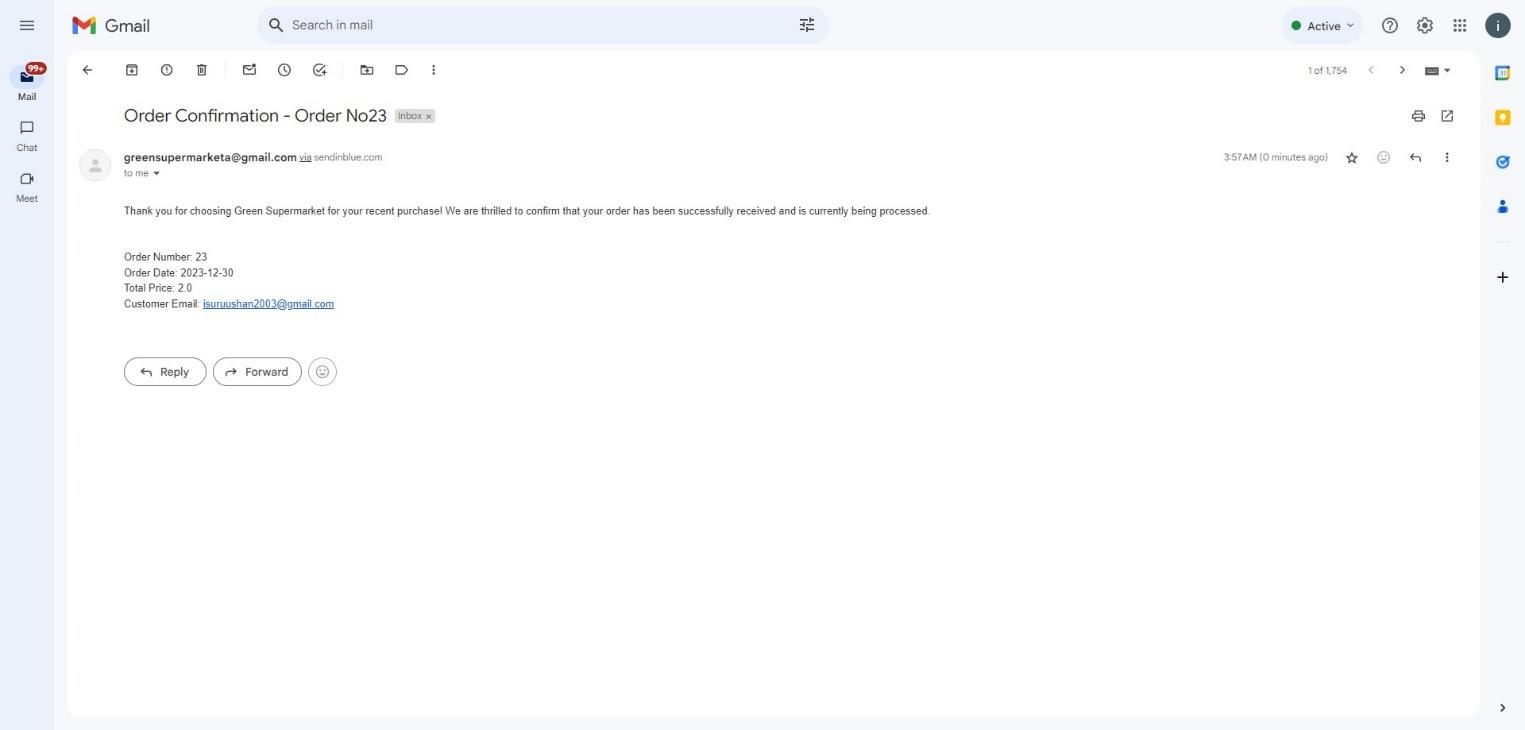
- - SMTP Mail Service: Customers who place orders receive confirmation emails thanks to our integration with an SMTP mail service.
- - PayPal Sandbox: As a secure and widely used payment gateway, we integrated the PayPal sandbox for smooth and reliable transactions.
Hosting and Security
Thanks to GitHub Student Developer benefits, we were able to get a domain for one year for free and access Azure services without cost. Leveraging Azure, we learned how to deploy and host our entire site. To ensure security, we used Cloudflare to obtain an SSL certificate, making our website secure for users.
Contributors
Special thanks to the following contributors who dedicated their time and effort to make this project a success:
Project Structure
The project is organized into different modules following the MDC architecture:
- Model: Contains the business logic and interacts with the database.
- View: Includes the JSP pages responsible for rendering the user interface.
- Controller: Manages the flow of data between the Model and View.
Visit Green Supermarket to explore the online shopping application.
Project Snapshots
Home page
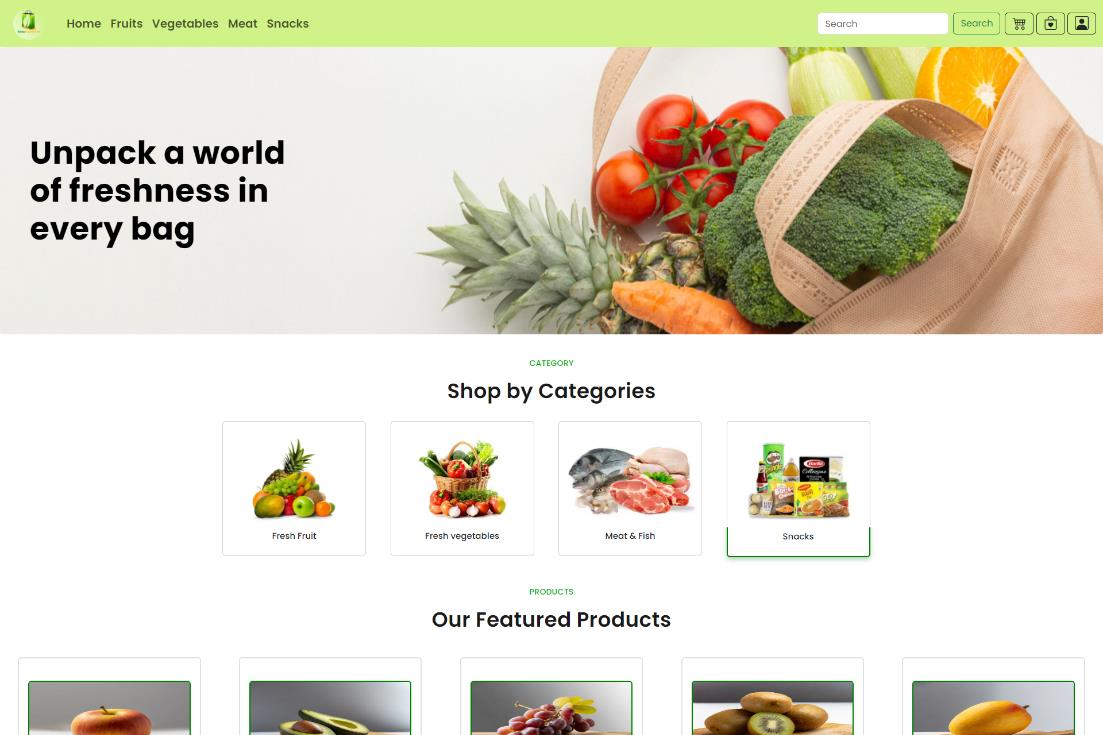
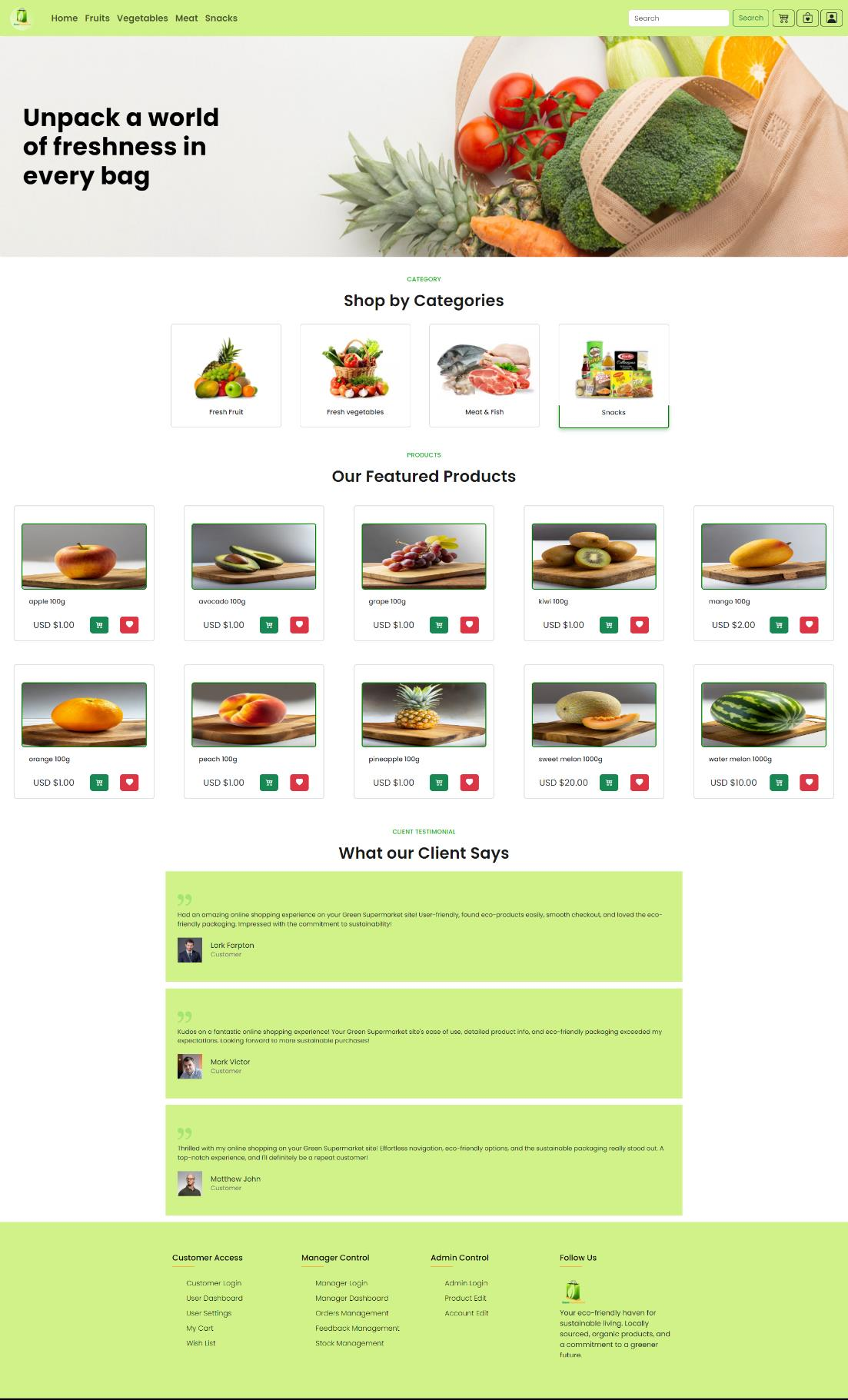
- The Home Page offers a user-friendly experience with distinct sections. Users can conveniently navigate through “Shop by Categories” featuring vegetables, fruits, meat, and snacks. The “Featured Products” section displays product cards with quick actions, including buttons for adding to the cart or wish list. The page also highlights client testimonials, showcasing reviews and ratings for added credibility.
Catalogue pages
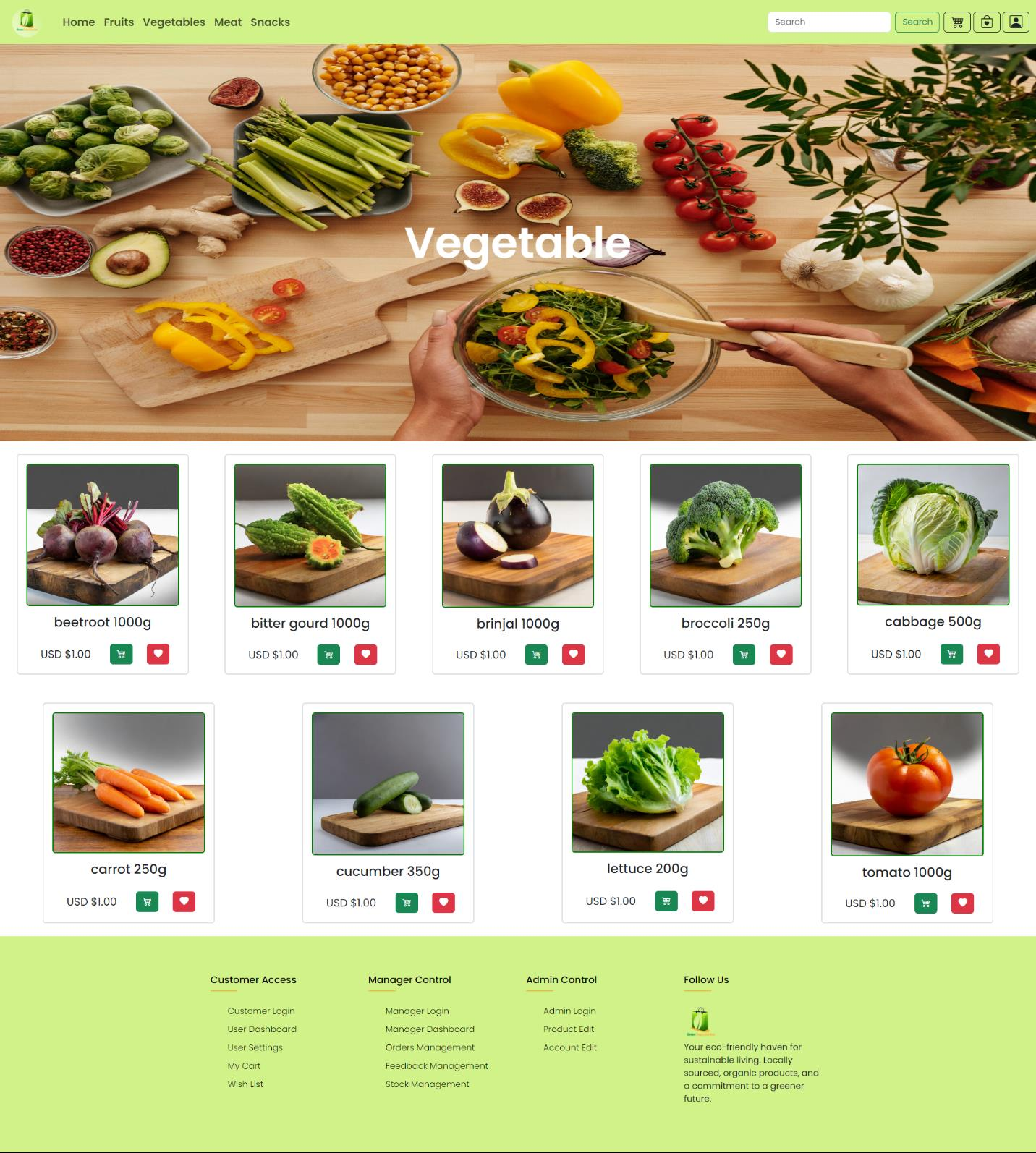
- The Catalogue Pages, including Fruits, Vegetables, Meat, and Snacks, follow a consistent structure. Each page displays product cards featuring images, names, and prices of available items within the respective category. Users can interact with the cards, using buttons to add items to their cart or wish list. Clicking on a card redirects users to a detailed page, offering comprehensive information about the selected product.
Product Details page
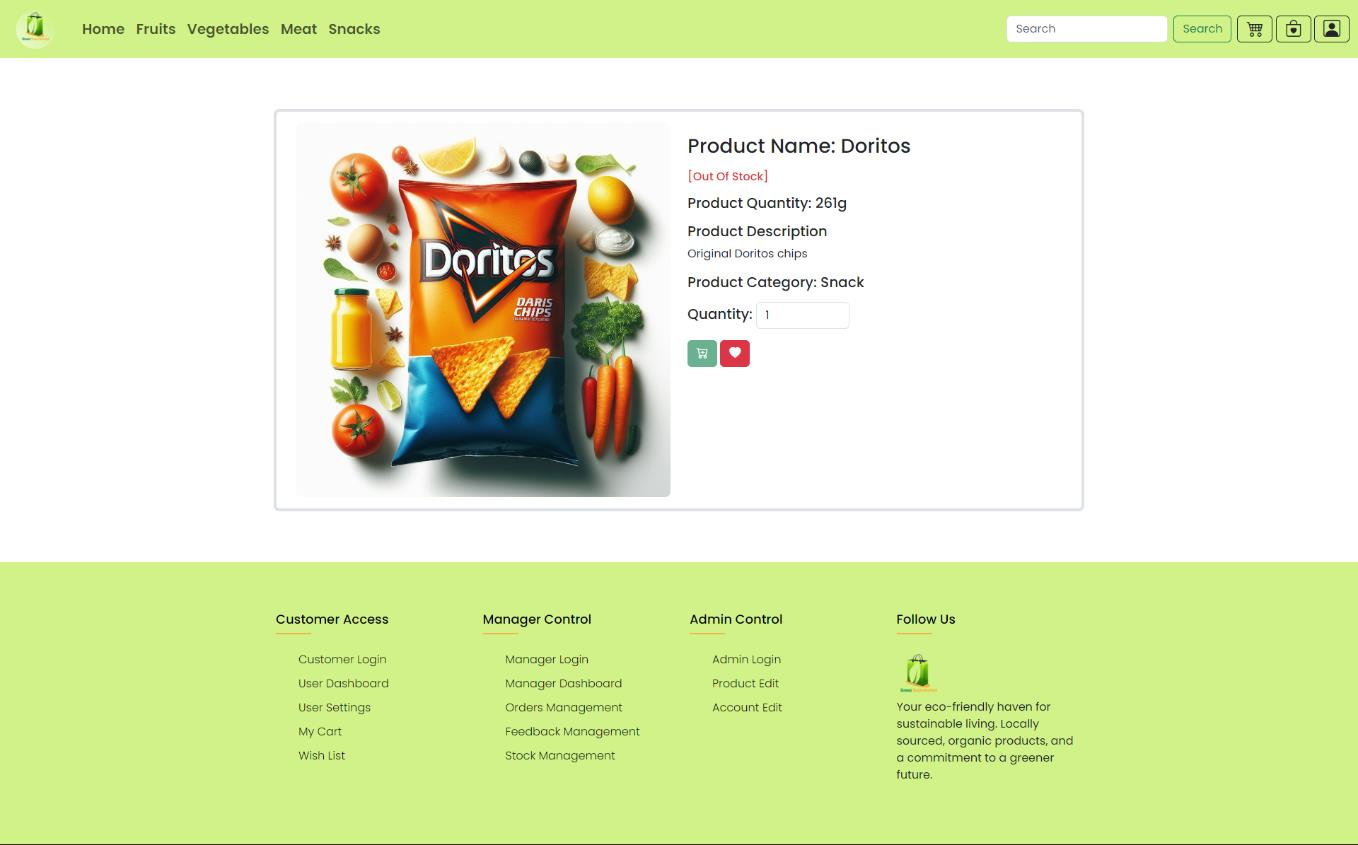
- The product details page appears when a user clicks on a product image that is on the Home page or the catalog pages. This page shows the user the stock status of the product, product name, product quantity, product description, product category, and quantity of the product which can be increased or decreased as per the user’s requirement. The user can also add the product to the cart or the wish list directly from this page.
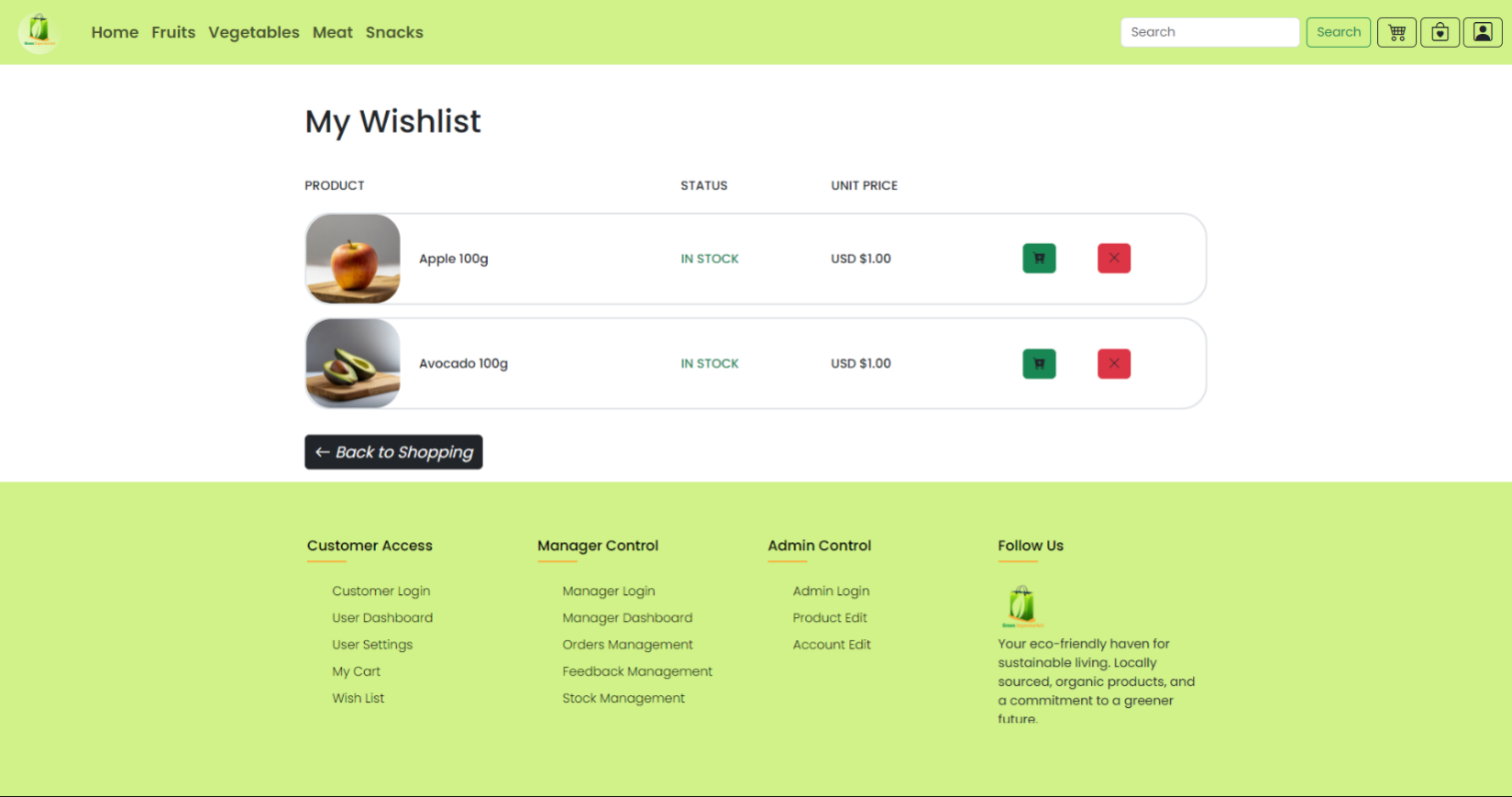
Wishlist
- The wish list page provides the opportunity for the users to add items they are planning to buy. Once the user adds items to the wish list the particular item will appear with the product image, product name, amount, stock status, and price. The user is provided with two buttons to remove and add to the cart next to each product. The remove button will remove the product from the wish list and the add to cart button will add the relevant product to my cart.
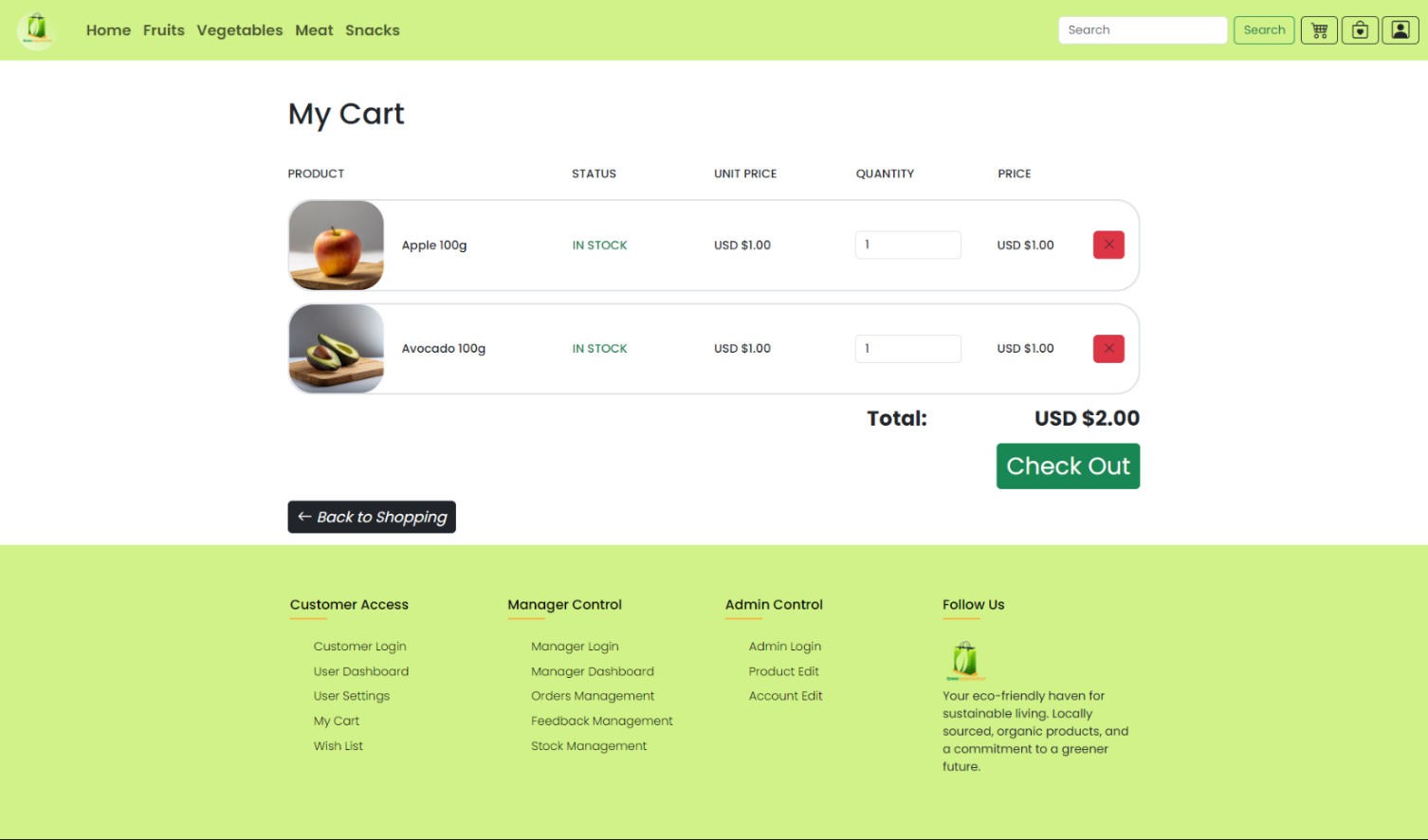
My Cart
- My Cart page provides the user the opportunity to add items to the cart they want to buy. This page allows the user to check out multiple items that are added to the cart. The My Cart page provides the option to see the product image, product name, amount, stock status, unit price, and a quantity field to adjust the quantity the user wants, and price. Furthermore this page provides a checkout button that will redirect to the PayPal login page which will be attached following this page.
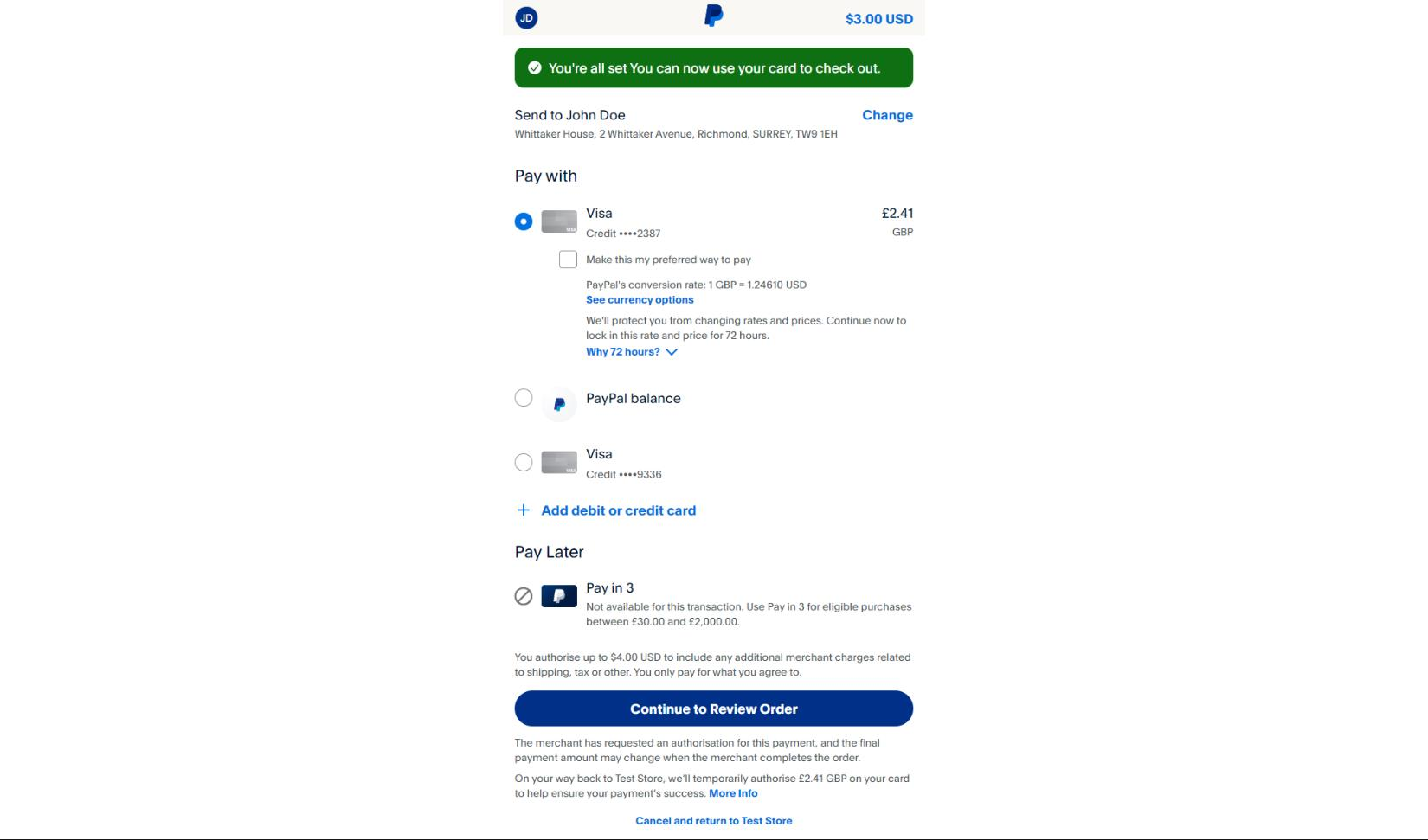
PayPal payment confirmation page
- The PayPal payment review page allows the user to select from the options him/her can pay with be it using a debit or a credit card apart from this it also shows the total bill value.
Order Confirmation email
- The below mail is what the customer receives upon the successful placement of an order which is done by using the SMPT server we have set up in our back end. The order confirmation email consists of the order ID, order number, order date, total price, and the customer email address.
Order Status
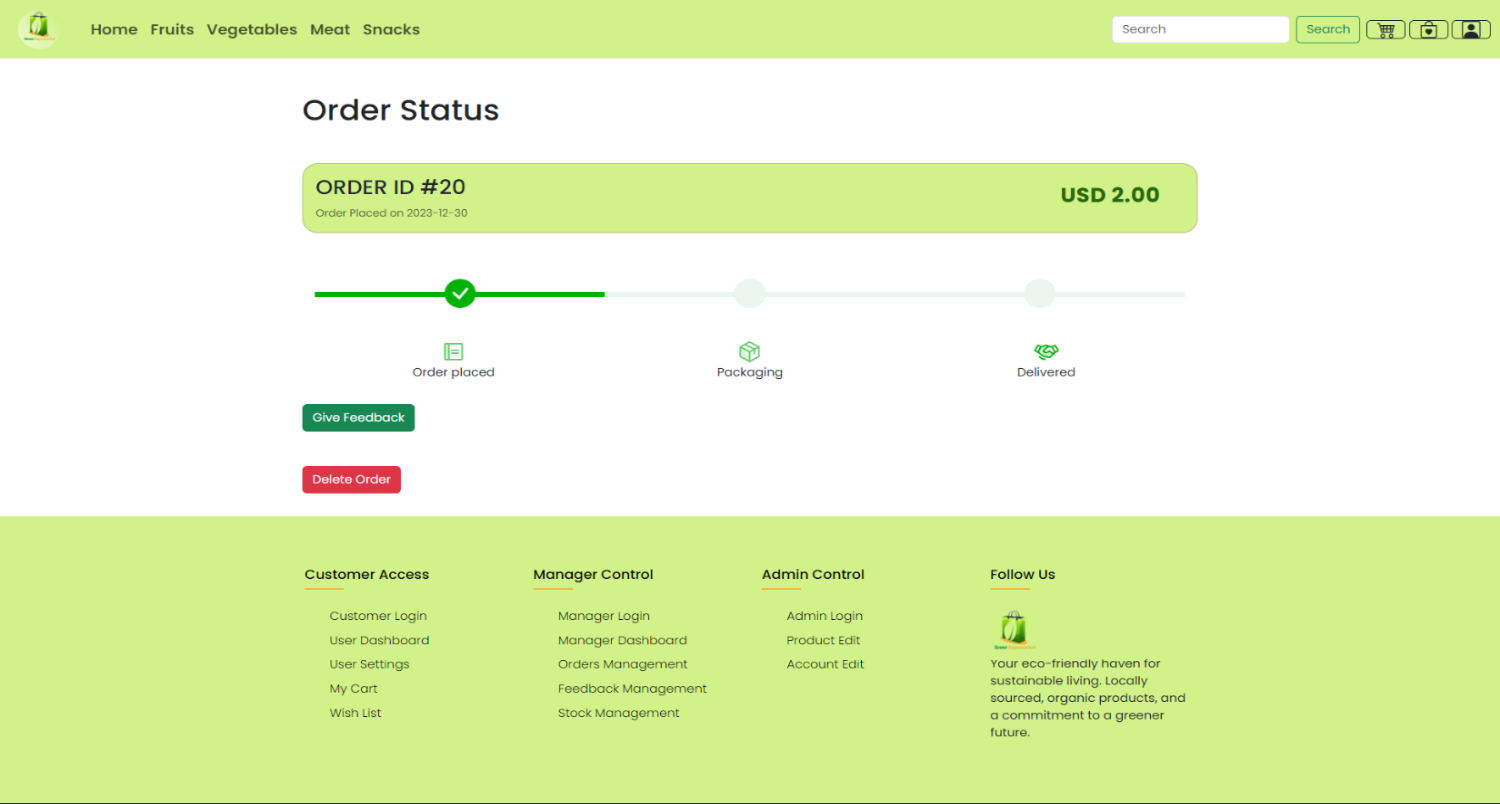
- The order status page enables the user to view the progress of the order they made from the stepper provided on top, the stepper indicates whether the order was placed, packaged, or delivered. The placed status is updated after payment after which the packaging and delivered status is controlled by a manager of the organization.The user is also given the ability to delete the order, but this ability is given only when the order status is placed, and it disappears when packaging